Everything EasyClub does, screen by screen.
Everything written here works today, in the app.
01
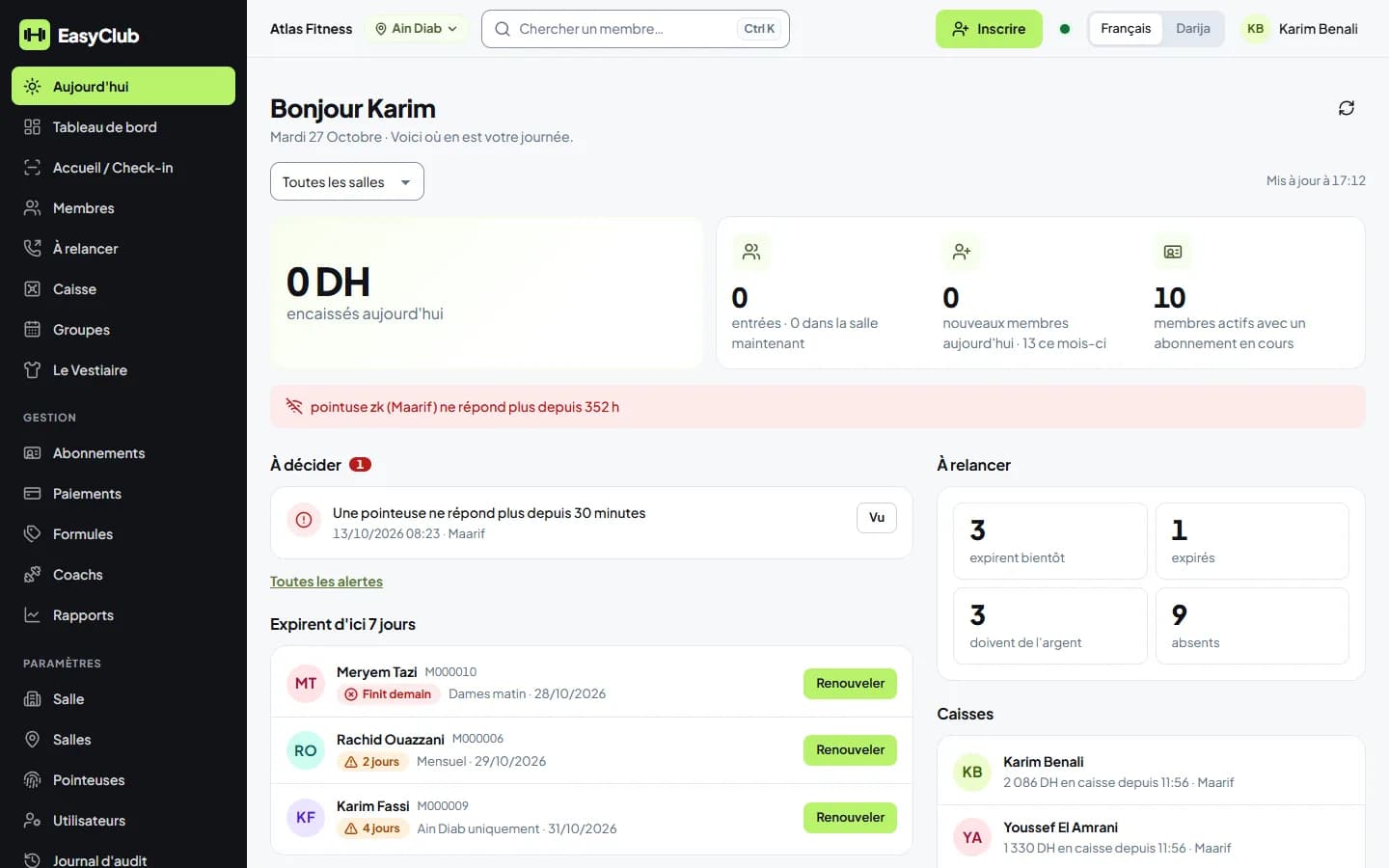
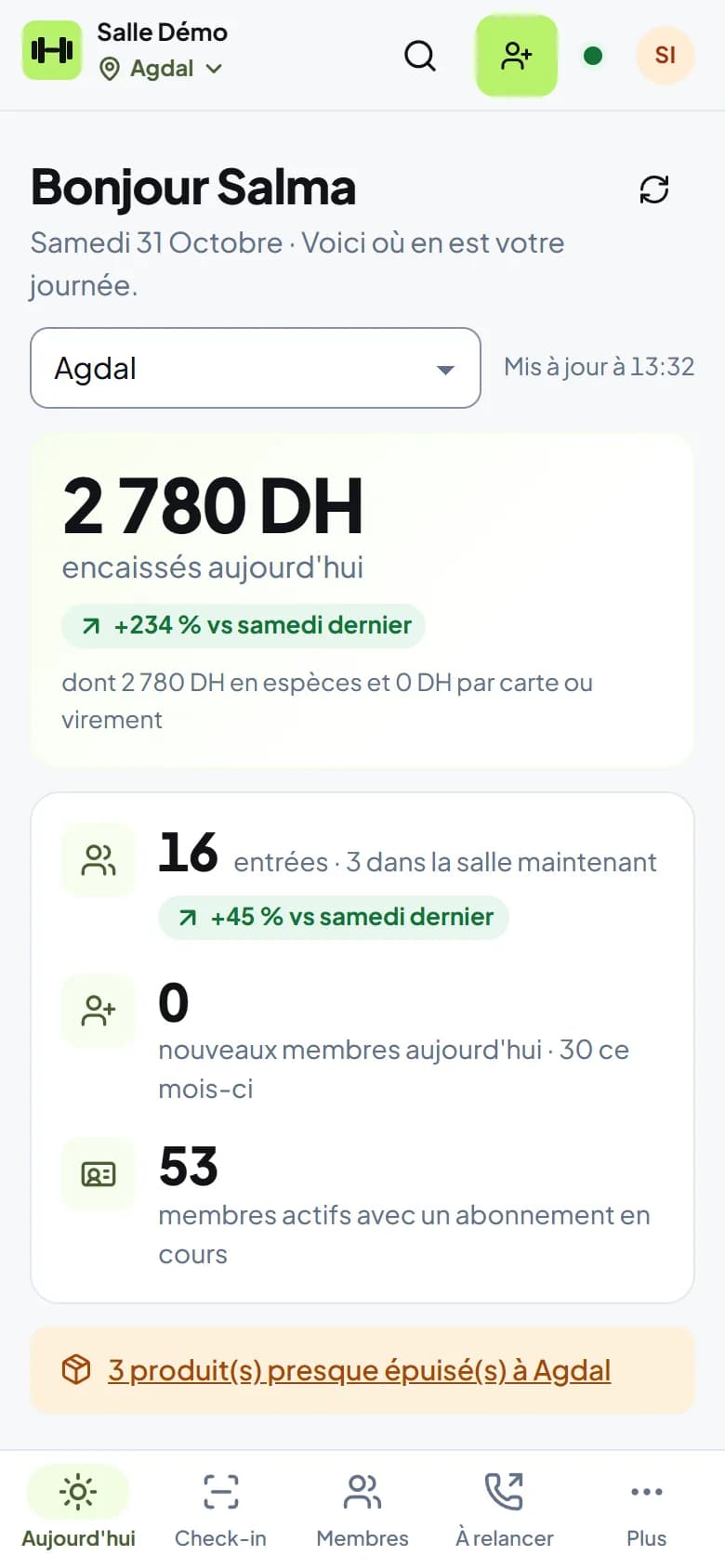
“Today”, your home screen
Your day in sentences: money collected compared with the same weekday last week at the same hour, check-ins, who's inside, open tills, memberships ending, alerts to decide. Per branch or all together, on your phone.
02
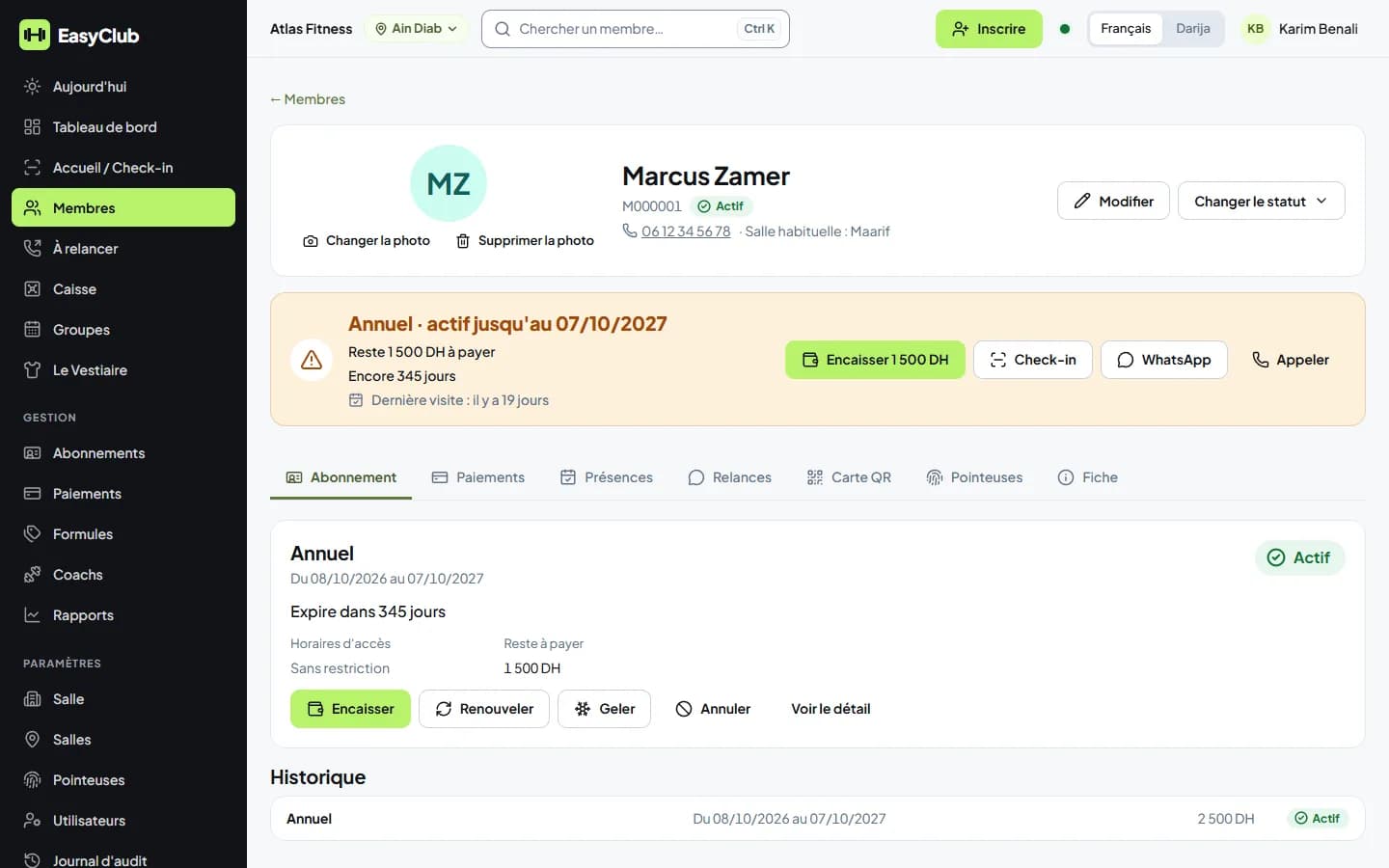
Members
Search by name, phone or number. A profile with photo, status, home branch, preferred language and contact consent. A printable QR membership card. The full history: memberships, payments, visits, follow-ups.
03
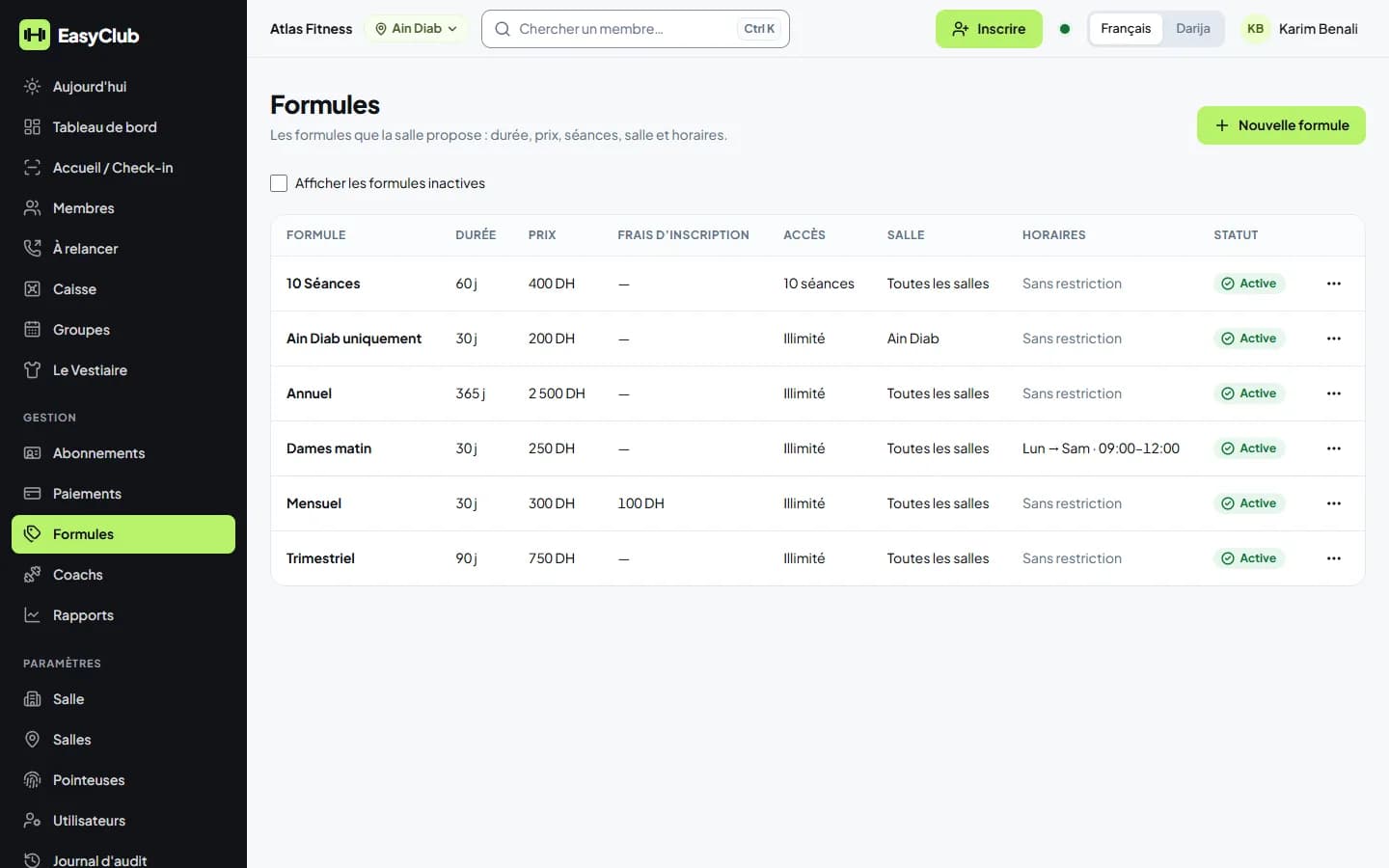
Plans and memberships
Your plans: duration, price, unlimited or a number of sessions, registration fee, a plan limited to one branch or to time slots (women-only, mornings…). Sell, renew, freeze, cancel. Memberships expire by themselves every night. Discounts only for allowed staff, and you get an alert.
04
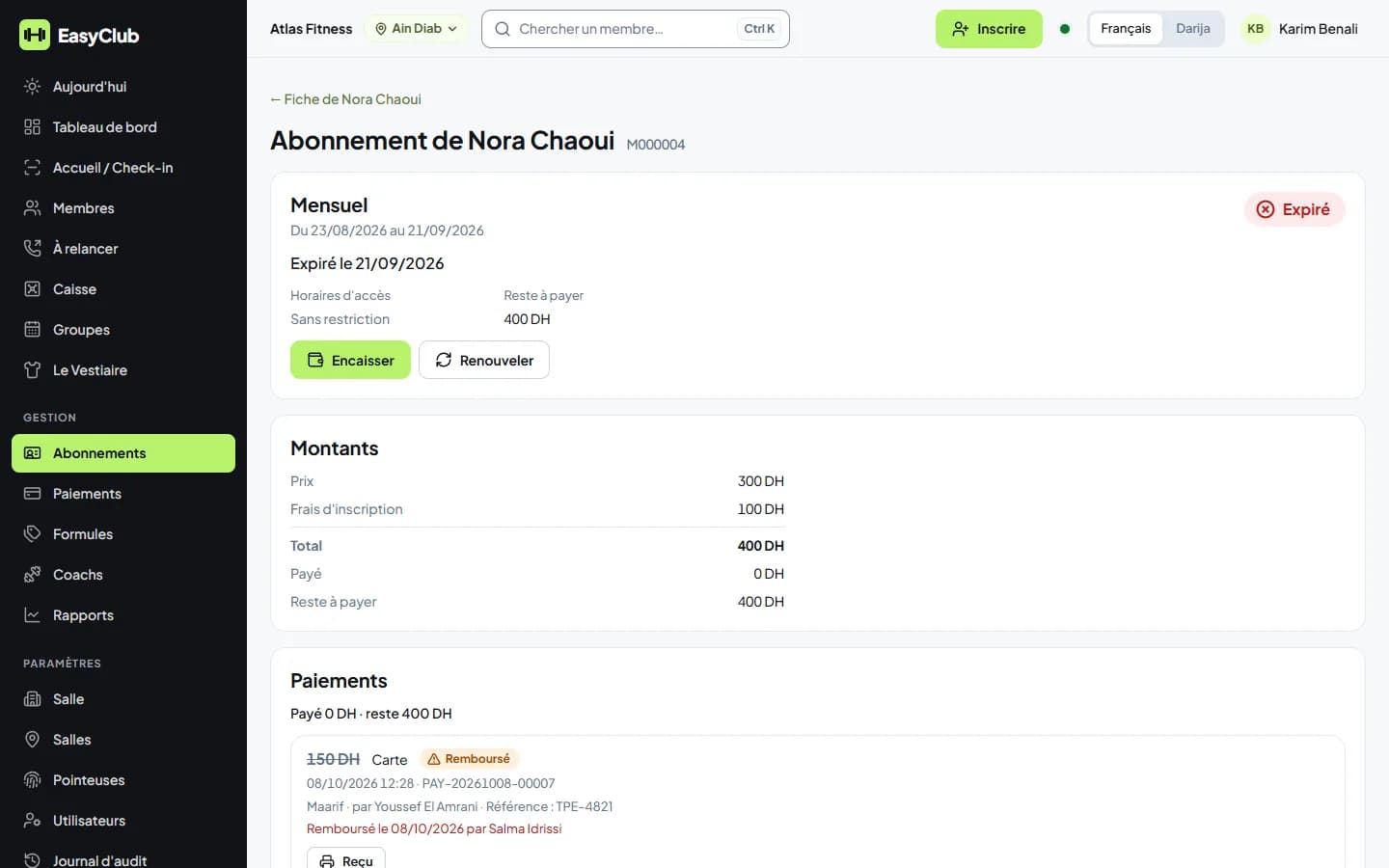
Payments and receipts
Cash, card, transfer. Payment in parts with the balance always visible. 80 mm or A4 receipt with the branch. A payment is never deleted: it is cancelled or refunded with a reason. A double click never charges twice.
05
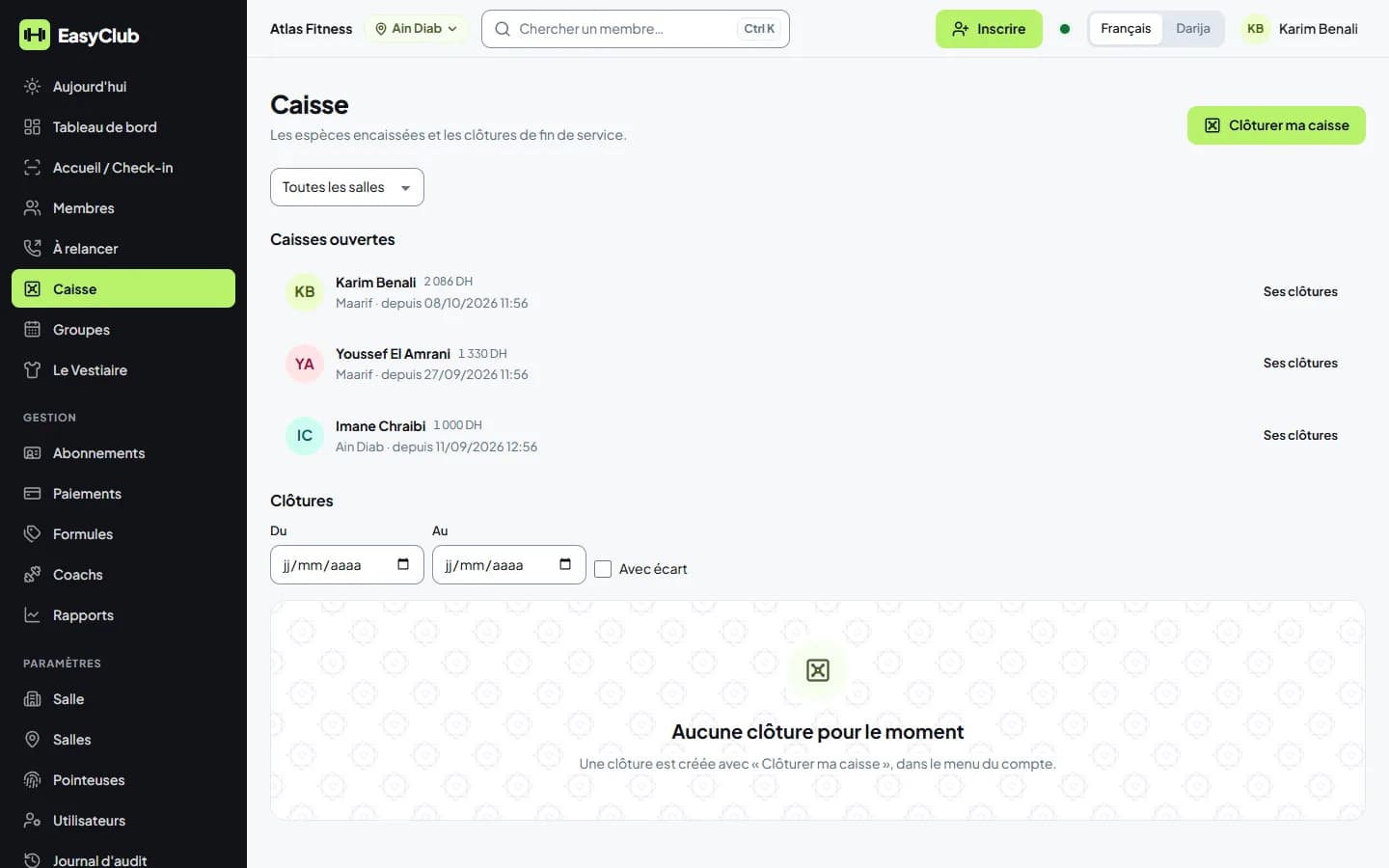
Cash closing
Each receptionist closes their own till: expected, counted, difference. Above your threshold, a note is required and you are alerted. Nothing changes afterwards without leaving a trace.
06
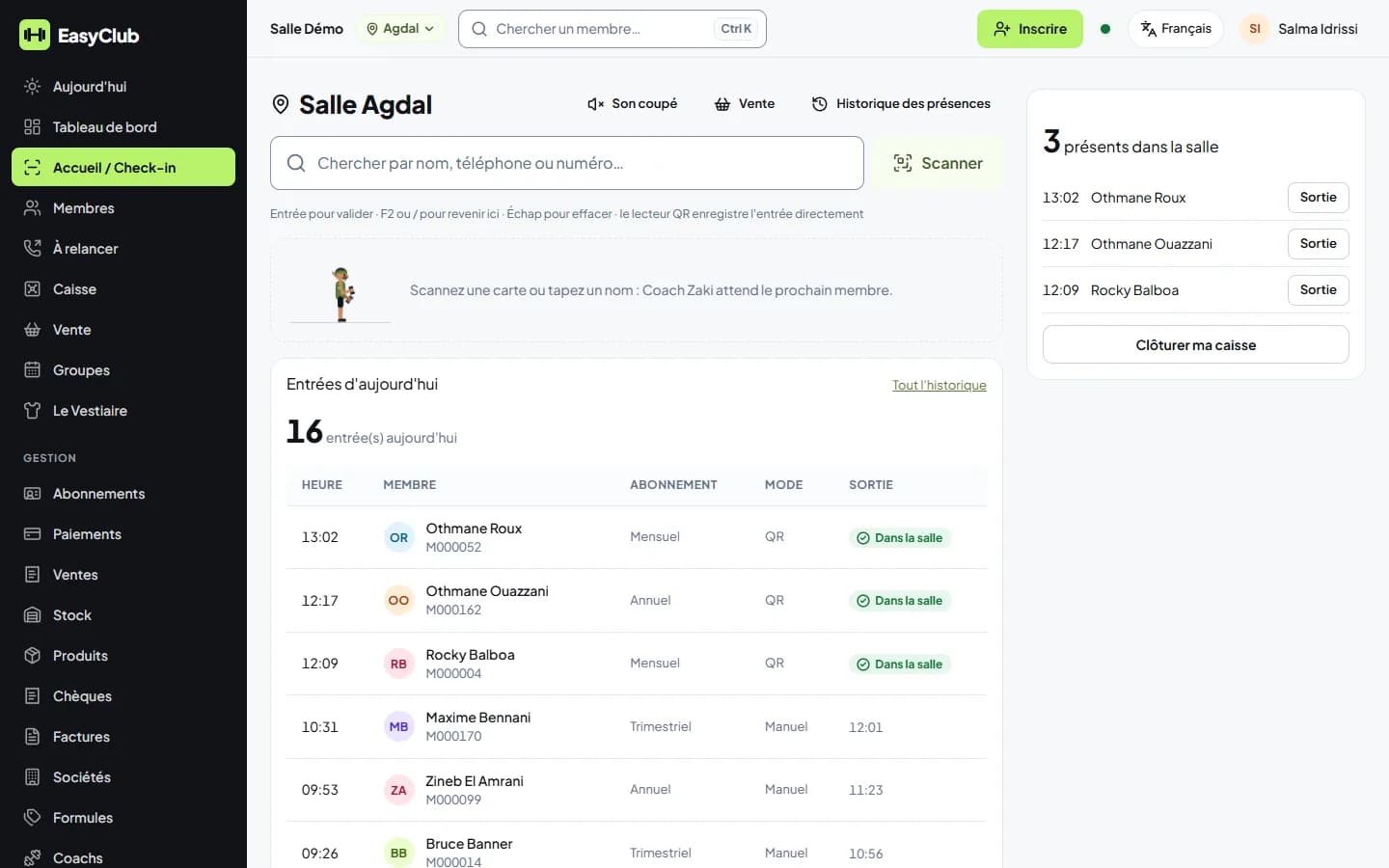
Front desk and check-in
Two letters of the name or the QR card: green “Entry OK”, or the reason in red (expired, unpaid, outside hours, blocked, other branch). The “ends in 3 days” warning at the door, and renewal or payment right from the screen. Who's inside now.
07
Access terminals
ZKTeco and Hikvision: the terminal lets in only valid memberships, every entry arrives live, alert if the device goes offline.
All about access terminals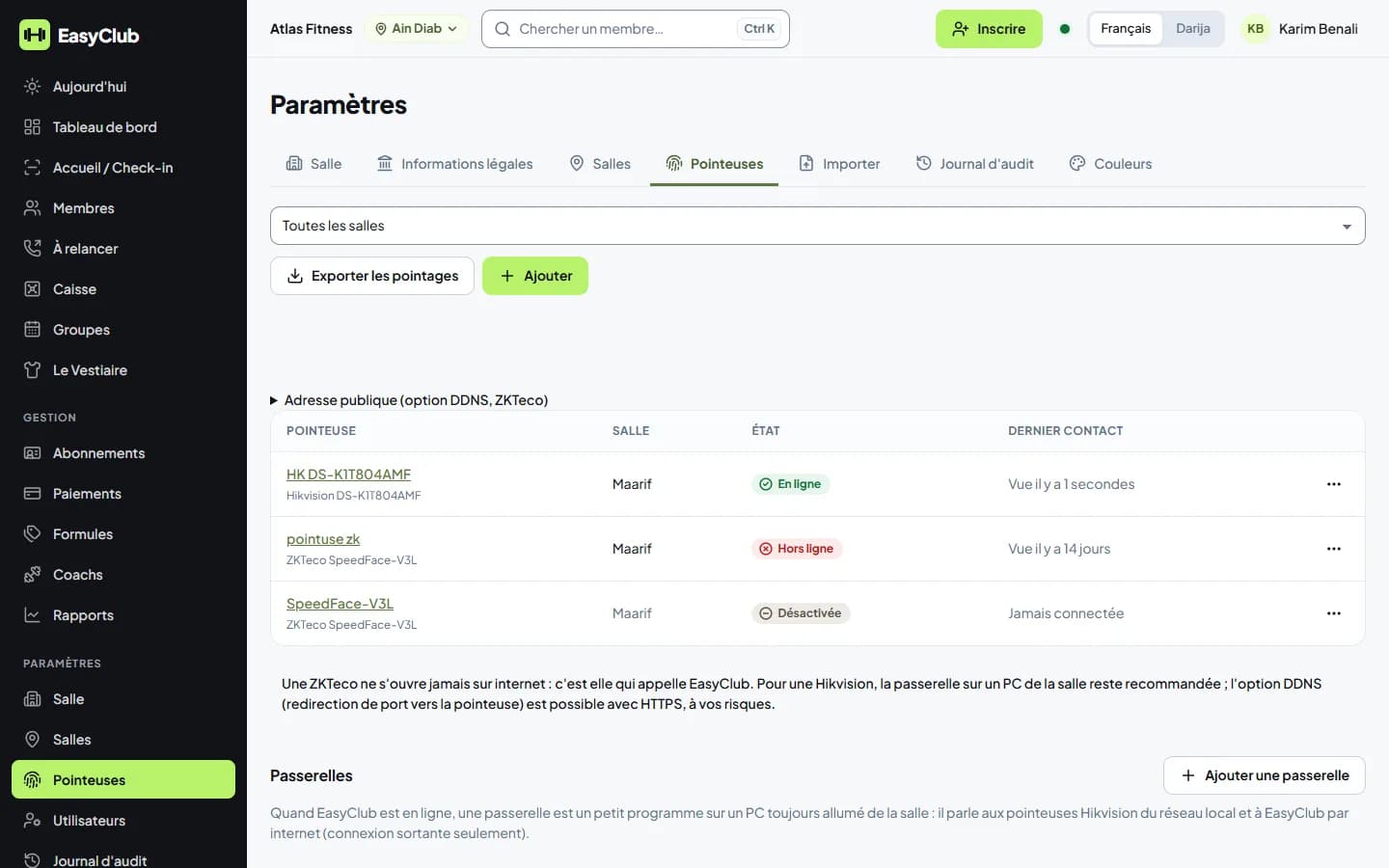
08
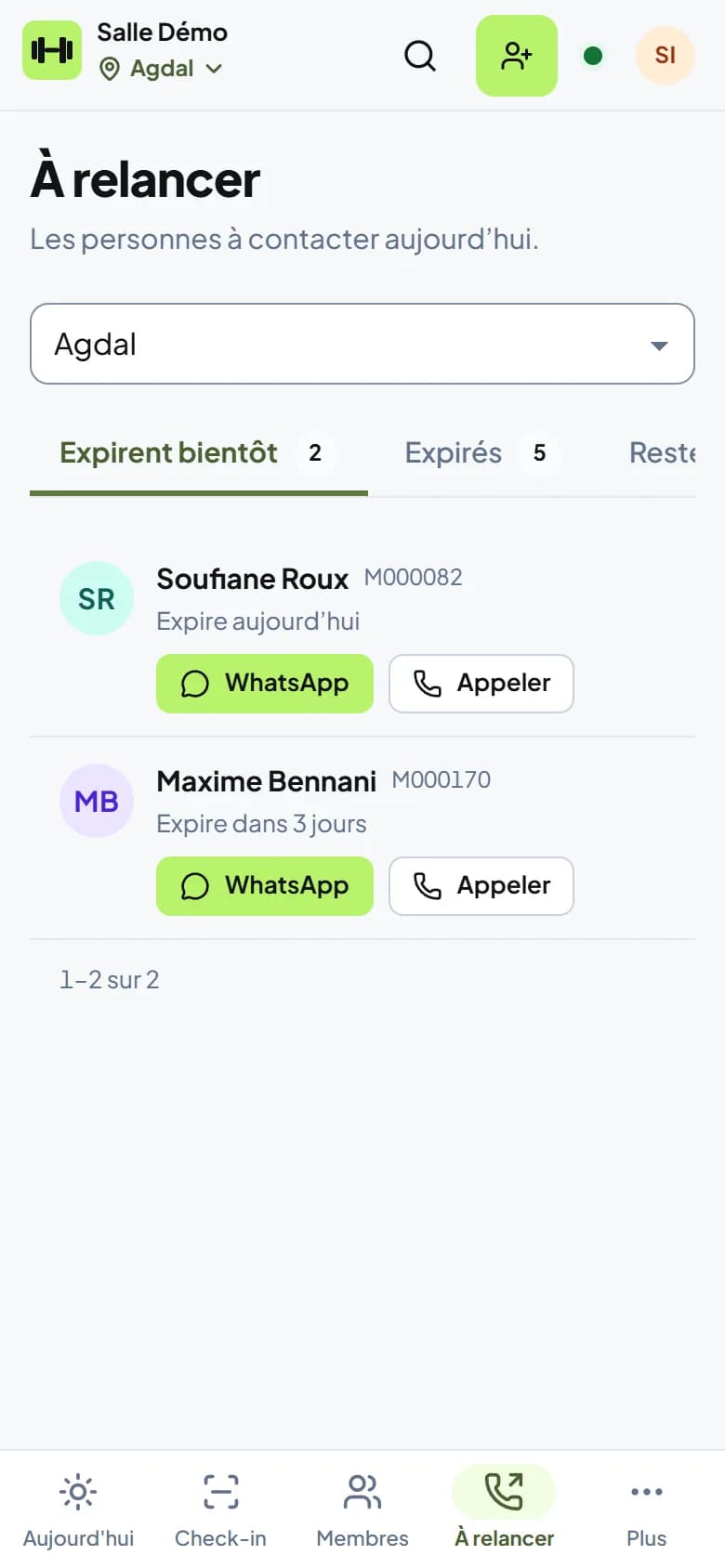
Follow-ups
Every day, the list of people to contact: ending soon, expired, balance due, absent. One-tap WhatsApp with the message in the member's language, or a call. The contact is logged.
09
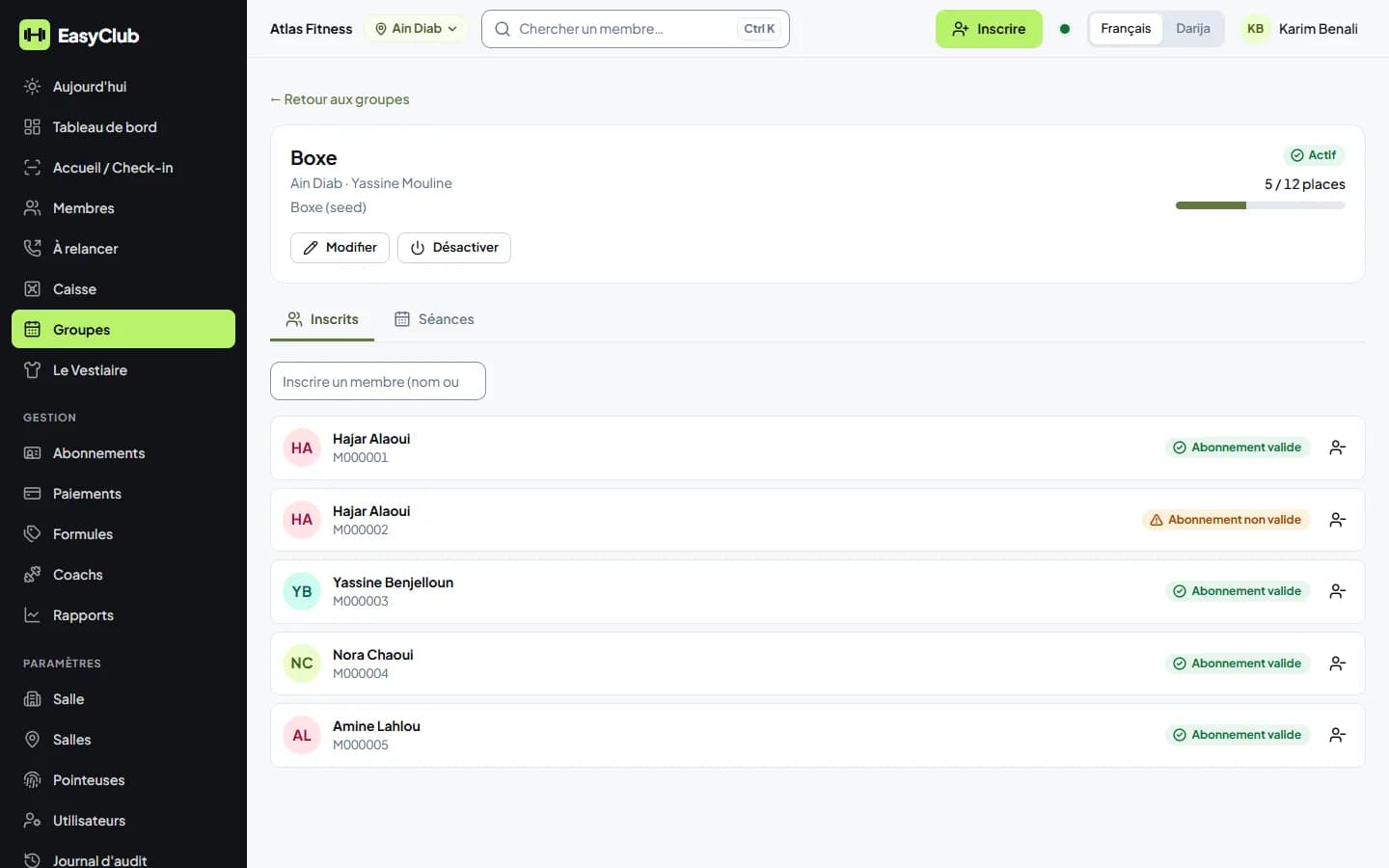
Coaches, groups and classes
Each coach has their own access. Groups per branch with capacity, sessions, attendance in one tap.
10
Several branches
One gym, several sites. Each staff member works on their branches, you see everything. Figures per branch: money, check-ins, till, reports.
11
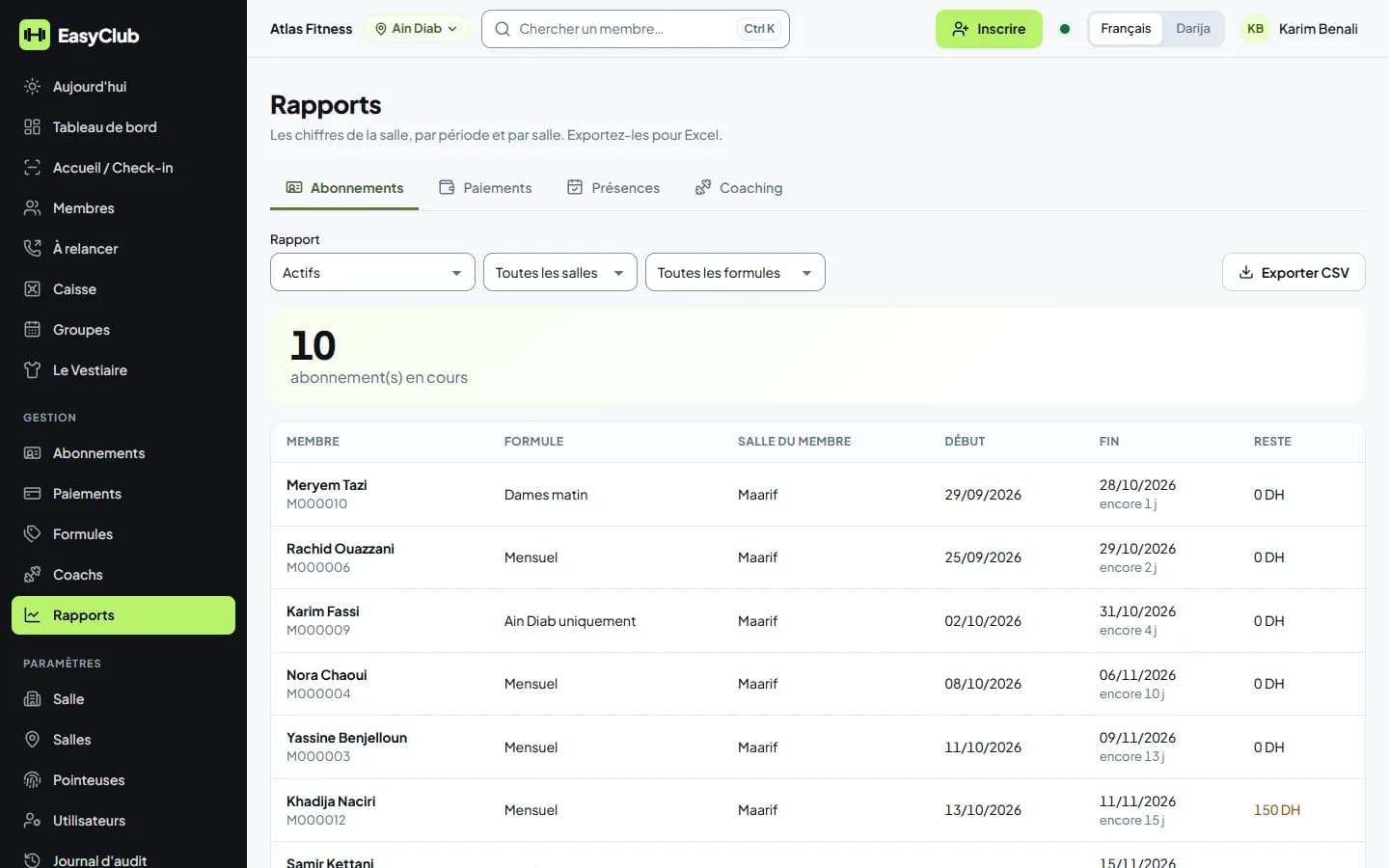
Reports and exports
Memberships (active, ending, expired not renewed, new), payments (by day, month, method, branch, balances due), attendance (busiest days and hours). CSV export that opens correctly in French Excel.
12
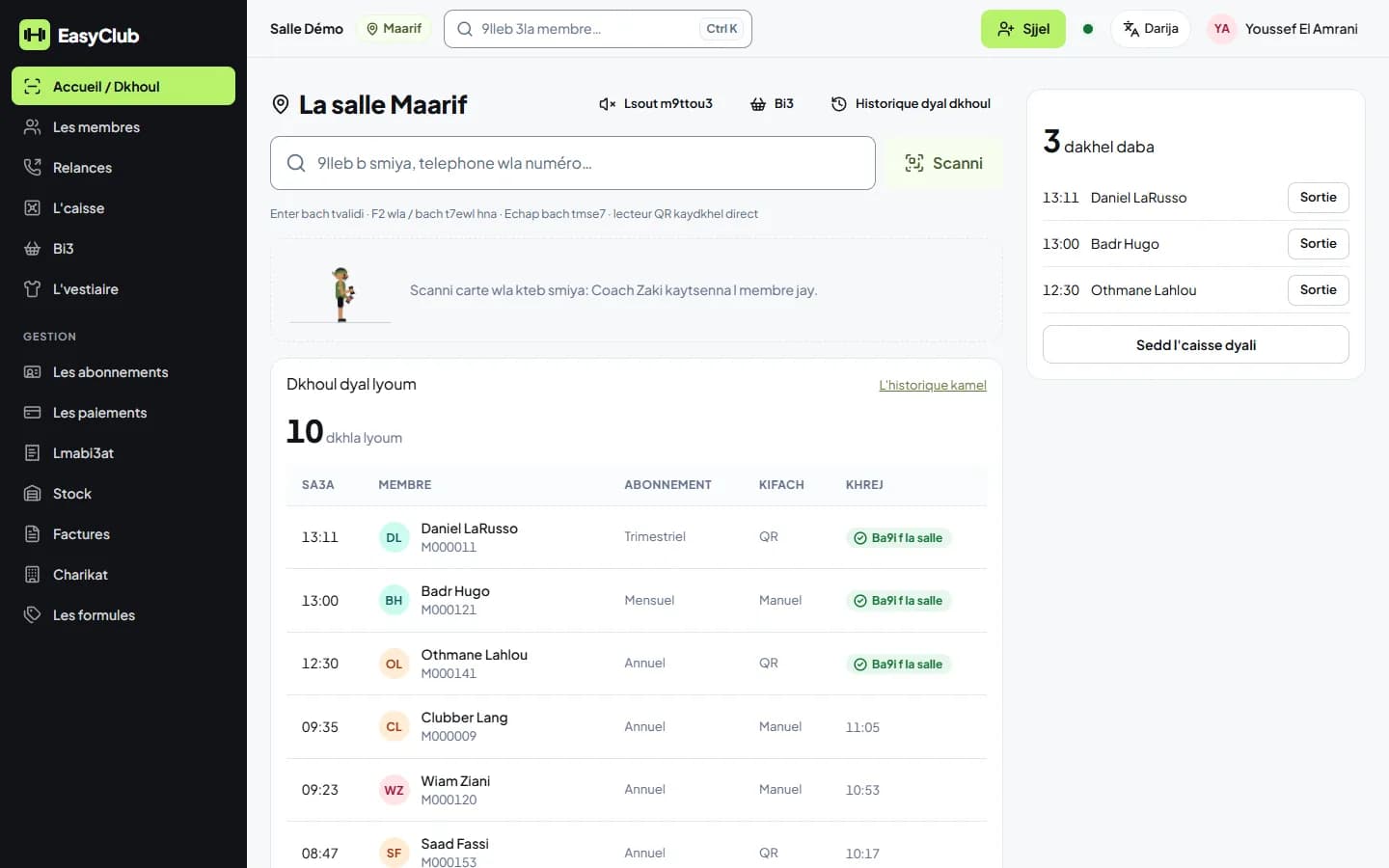
Languages
French and Darija in Latin letters, each staff member chooses.
Everything else, already in EasyClub
Manager dashboard
Your gym's numbers in charts: money collected, new members, renewals, attendance. Per branch or all together.
Shop and stock
Drinks, supplements, accessories: a quick sale at the desk, collected in the same till, stock tracked per branch.
Cheques and invoices
Cheque payments with a photo, tracked until cleared, bounced cheques flagged. Invoices and credit notes excl. VAT + VAT for companies.
Personal coaching
Session packages with a coach: sessions done and sessions left, visible to the coach and the desk.
Offline desk
Internet down? The desk keeps going: check-ins, payments and sales are kept on the device and sent as soon as the connection is back.
Member area
On their phone, members see their subscription, payments, balance due and QR card. They sign in with a code from the desk.
Staff clock-in
Team schedules and clock-in from the app or the access terminal: attendance and late arrivals at a glance.
Excel import
Your members and subscriptions imported from Excel, with a check before the import. Or straight from an access terminal's user list.
Security
Each gym's data is isolated. Four roles: owner, manager, desk, coach. Every sensitive action is logged. No bank card, ID, health or biometric data stored.